Nano Banana Pro vs Nano Banana 2 (and 2.1): Which to Use

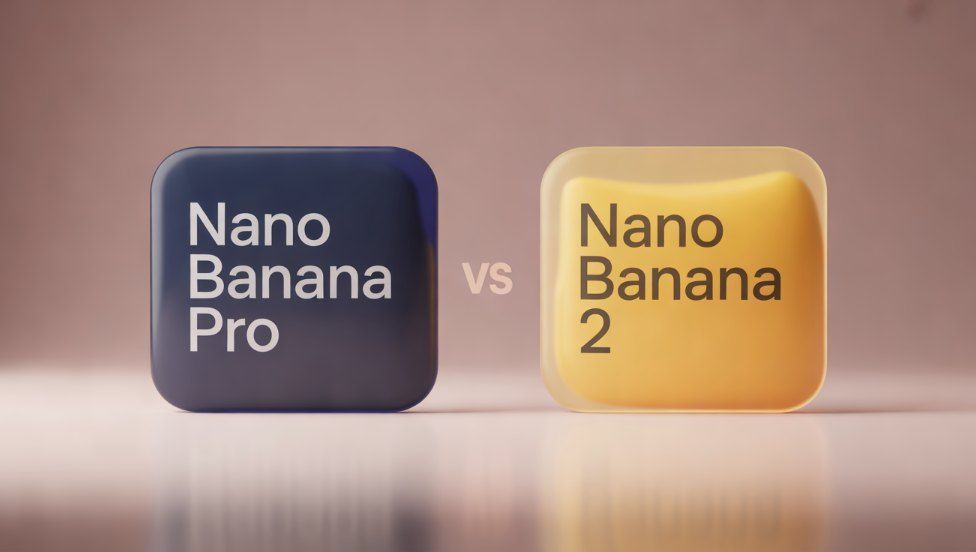
Nano Banana Pro is Google's premium image model for complex scenes, exact text, and keeping a person or product consistent, while Nano Banana 2 is the faster Flash model built for volume. The comparison has a third player now: on October 6, 2026, Google released Nano Banana 2.1 as the update to Nano Banana 2 and recommends it for new work. So the practical choice in "nano banana pro vs nano banana 2" comes down to Pro or 2.1. Use 2.1 for everyday images and quick rounds of edits, and switch to Pro when the image has to follow a precise brief, such as signage, packaging, or a character who must look the same in every shot. On DaVinci, cost doesn't decide it the way it does elsewhere, because Pro is the cheapest of the three at 2K.
What Is Nano Banana?
Nano Banana is the nickname Google uses for its Gemini image models, the ones that create and edit images from a conversation. The family has grown quickly: the original Nano Banana (Gemini 2.5 Flash Image) arrived in August 2025, Nano Banana Pro (Gemini 3 Pro Image) followed in November 2025, and Nano Banana 2 (Gemini 3.1 Flash Image) launched in February 2026.
Two newer members matter for this choice. Nano Banana 2 Lite, generally available since June 2026, is the budget option for fast, high-volume work. Nano Banana 2.1 came out in October 2026 with wider aspect ratios and better text rendering, and Google's Gemini API changelog marks Nano Banana 2 as deprecated in its favor, with no shutdown date announced.
All of them read a prompt as a request to understand rather than a list of keywords, which is why they handle edits like "make it evening and remove the bike" in plain language. They differ in how much reasoning they apply, how many reference images they accept, and what they cost.
What Is Nano Banana Pro?
Nano Banana Pro is the larger, slower model in the family, and Google positions it as the choice for the most complex visual work. It spends more effort working out how the elements of a scene relate to each other before it renders, which shows in prompts with many objects, exact wording, or a strict layout.
It also handles references differently. According to Google's image generation docs, Pro accepts up to six object images, up to five character images, and up to three style references in one request, while Nano Banana 2 and 2.1 take more object images (up to 10) but fewer characters (up to four) and no separate style slot. If your project is a campaign with the same two people in every frame, that difference matters more than speed.
Nano Banana Pro vs Nano Banana 2 Compared
Here's how the three main models line up as of November 2026, with credit prices as they appear in DaVinci's image generator:
The credit row is the surprise. Through Google's own API, Pro costs more than the Flash models at every size, but on DaVinci a 2K image from Pro costs 25 credits, against 38 for Nano Banana 2 and 2.1. If you work at 2K, the premium model is also the cheaper one.
Same Prompts, Three Models: What Our Test Showed
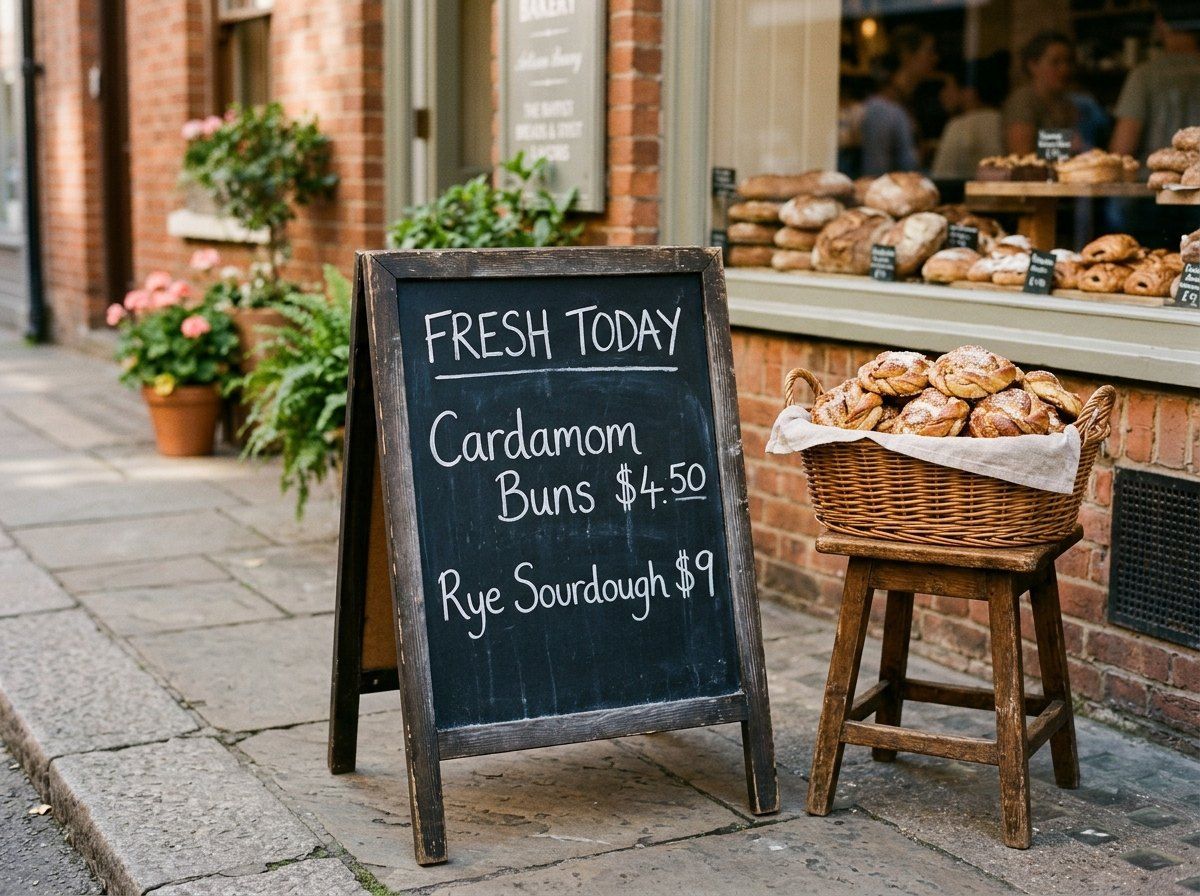
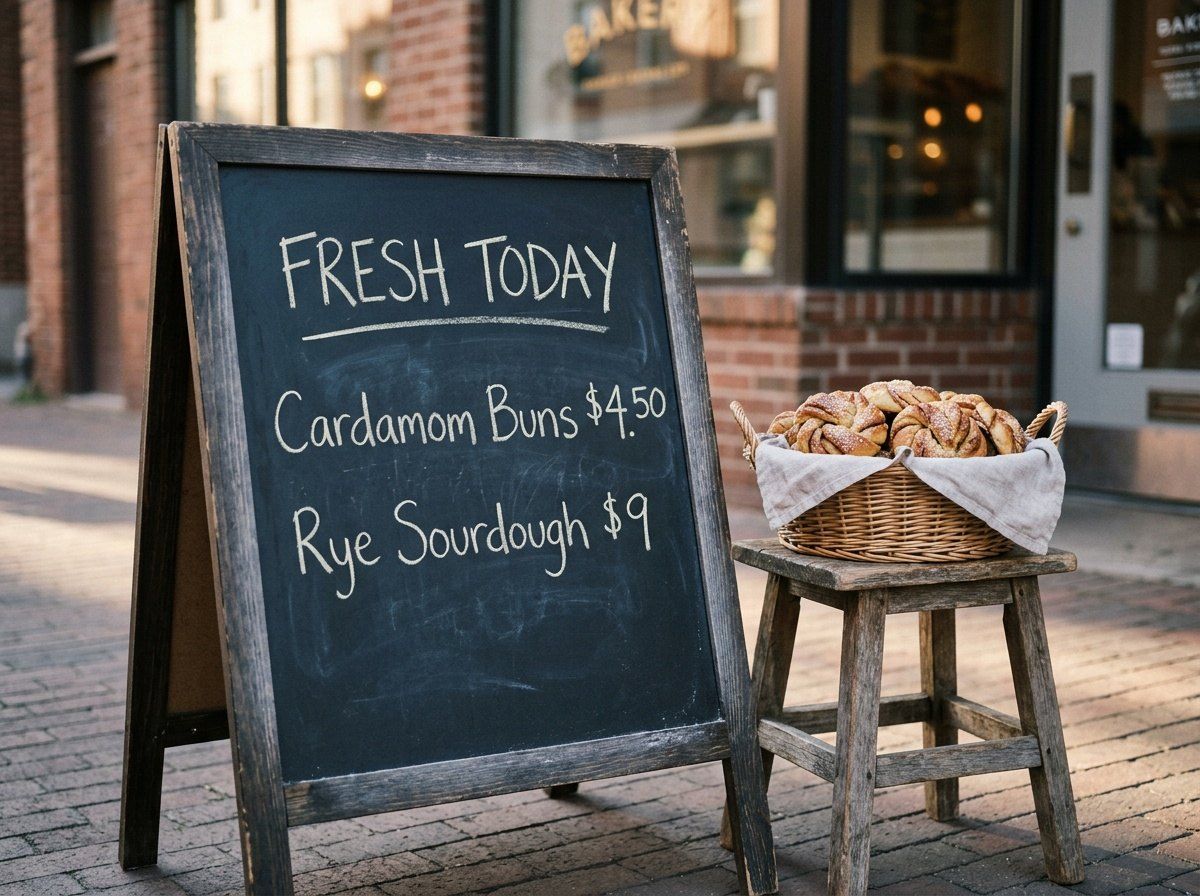
To see how the differences play out, we ran two original prompts through Nano Banana Pro, Nano Banana 2, and Nano Banana 2.1 in DaVinci on November 6, 2026: one run per model, 1K, 4:3, no retries. Each prompt targets a known weak spot for image models, exact text and exact counts.
Text on a Chalkboard Sign
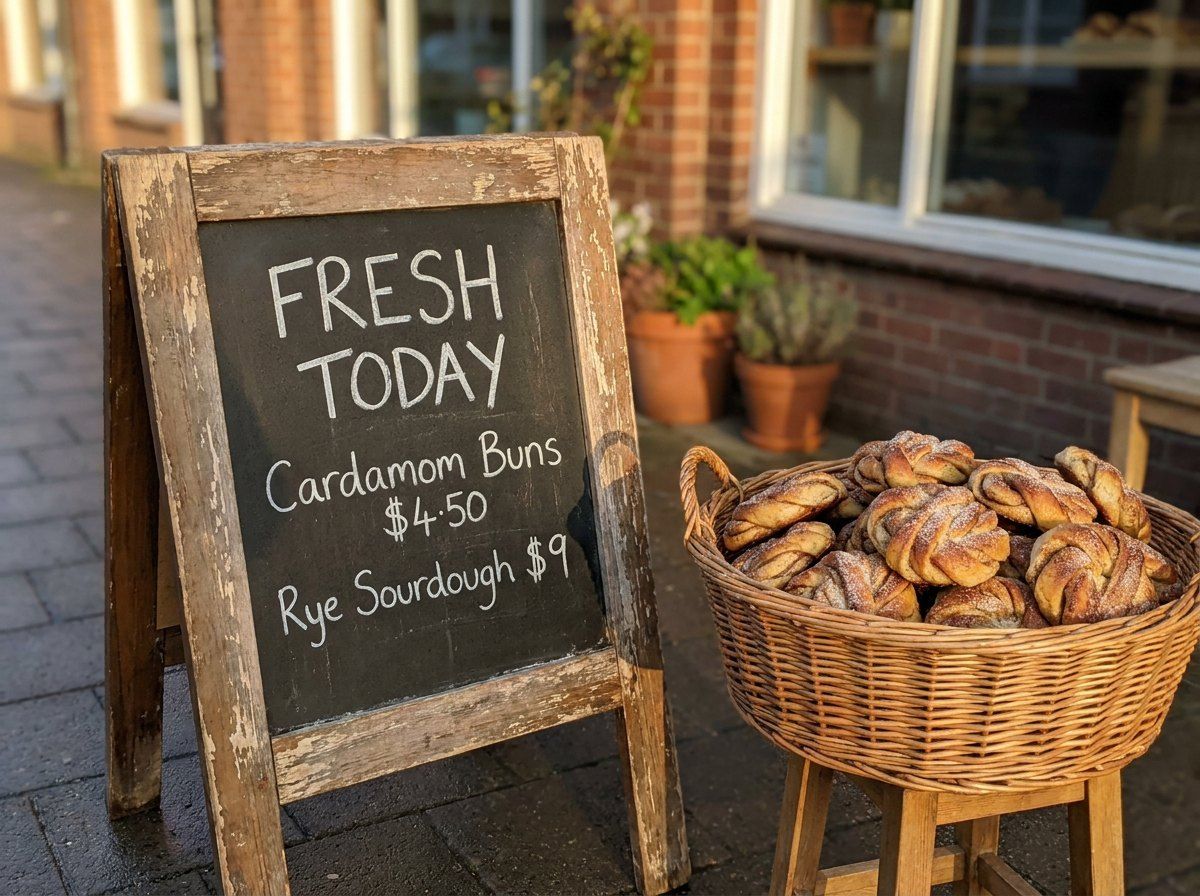
Nano Banana Pro
Nano Banana 2
Nano Banana 2.1
All three spelled every word and price correctly, which is a real step up from older image models. The differences were in the details around the text. Nano Banana Pro was the only one that added no other lettering to the scene, but it broke "Cardamom Buns $4.50" across two lines. Nano Banana 2 broke the same line and also invented a hanging shop sign with garbled small print and price tags in the window. Nano Banana 2.1 kept the exact three-line layout, yet painted "BAKERY" on the window behind the sign.
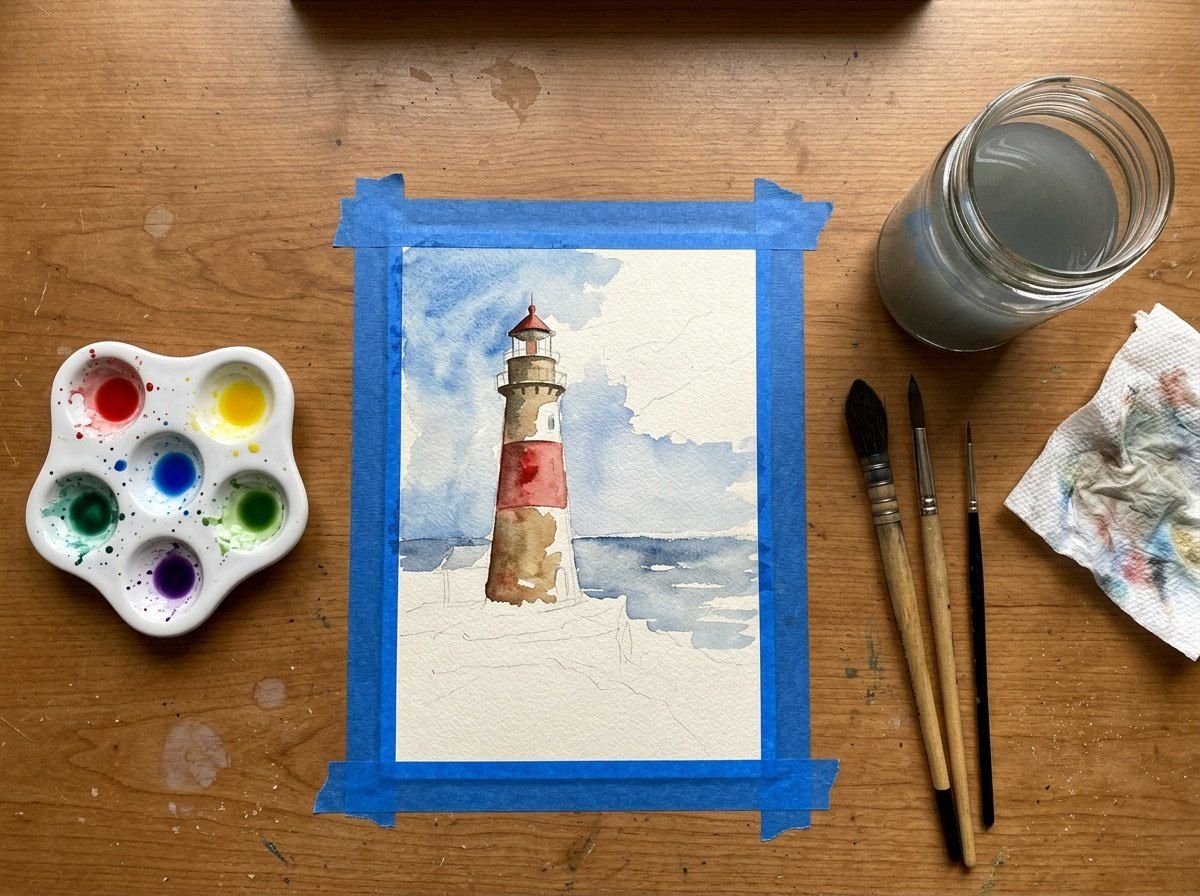
A Desk With Exact Counts and Positions
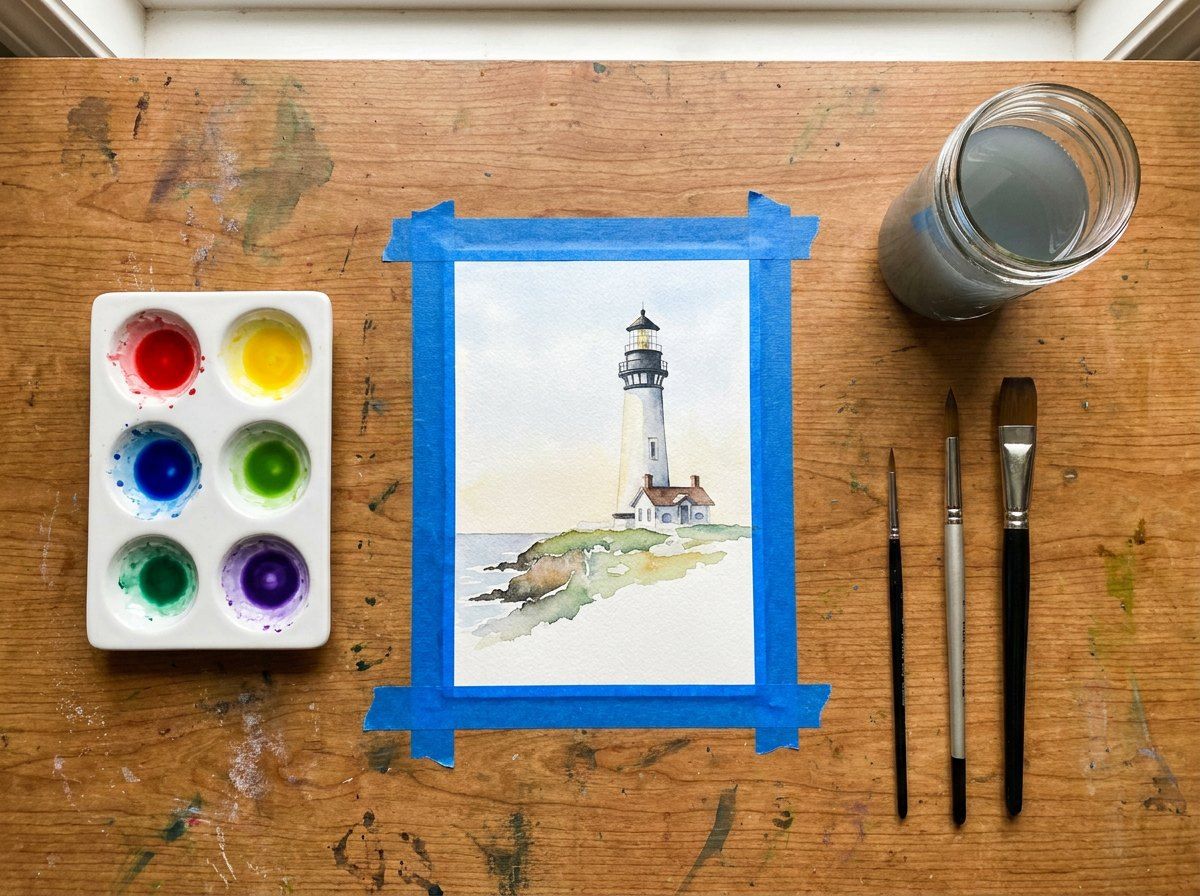
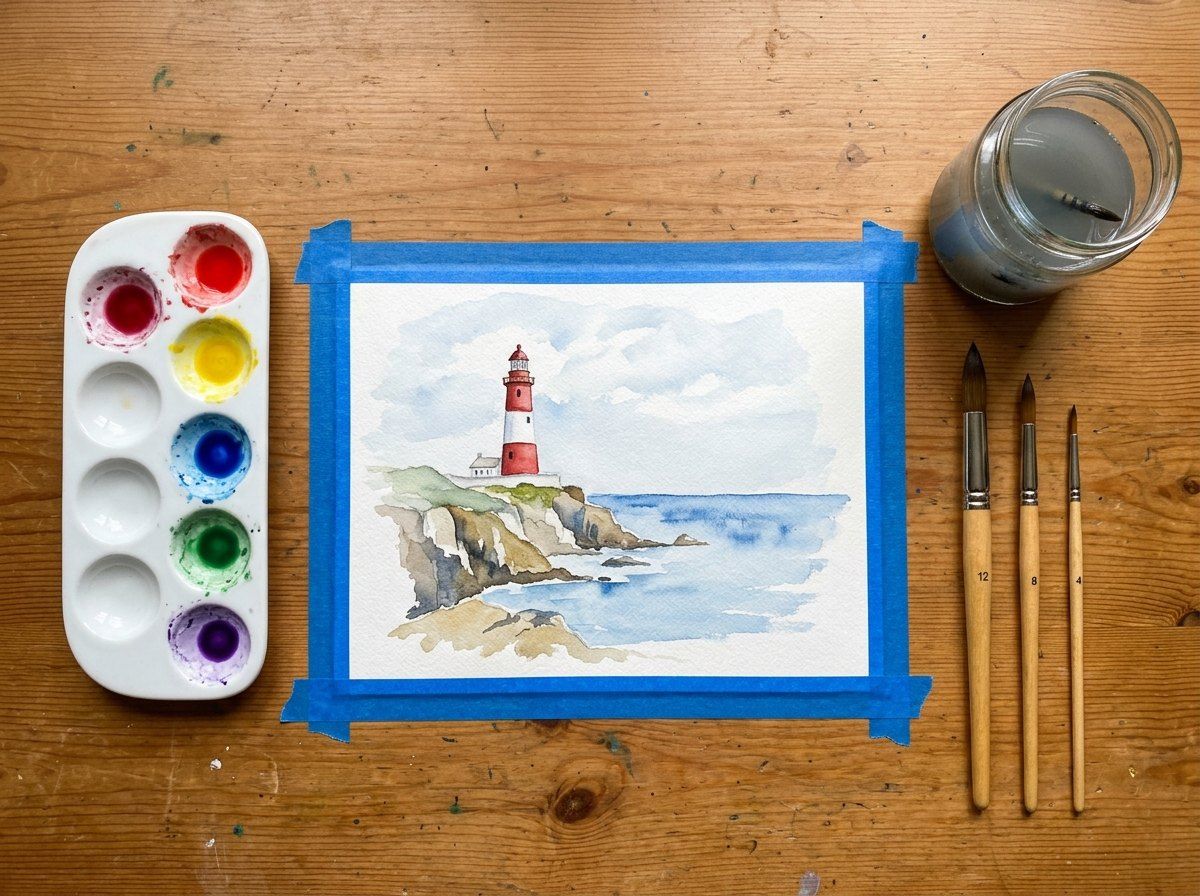
Nano Banana Pro
Nano Banana 2
Nano Banana 2.1
None of the three got the palette right. Pro and 2.1 each made six wells with green twice, and Nano Banana 2 made a ten-well palette with an extra crimson. All three framed the painting with full strips of tape instead of corner pieces, and all three placed the jar and three brushes where the prompt asked. Nano Banana 2.1 was the only one that drew the lighthouse half-finished, with bare pencil lines at the bottom, but it also added a paper towel nobody asked for.
Two prompts can't crown a winner, and a second run of the same prompt can come out differently. What the test does show is the pattern to plan for: spelling is now reliable across the family, while exact counts, line breaks, and "no other text" instructions still need a check, whichever model you choose.
Where Nano Banana 2.1 and Lite Fit
If you were using Nano Banana 2, move to 2.1. It keeps the same reference limits and wide range of aspect ratios, adds better text rendering, and costs the same on DaVinci, so there's no reason to stay on a model Google has marked for retirement. You can open it on the Nano Banana 2.1 page.
Nano Banana 2 Lite, listed in DaVinci as Nano Banana Lite, is a different trade. It only outputs 1K images, and Google notes it isn't built for multiple reference images or for long chains of edits. It suits thumbnails, quick concept rounds, and batches where speed and cost matter more than fine detail; for anything you'll print or crop, use 2.1 or Pro.
Which Nano Banana Model Should You Use?
Pick by the job in front of you rather than by the model's rank:
For everyday social images, blog visuals, and quick edit rounds, start with Nano Banana 2.1.
For signage, packaging, menus, or any image where every word and its position matter, use Nano Banana Pro, then check the lettering at full size.
For a person or character who has to look the same across a series, use Pro, which accepts five character references.
For many quick drafts at small sizes, use Lite, then redo the keepers on 2.1 or Pro.
When you're generating at 2K on DaVinci, try Pro first, since it costs less than 2.1 at that size.
Whichever you choose, spell out what must not appear, quote exact text, and count the objects in the result before you use it. Our AI image prompt examples show how to phrase those instructions for different kinds of images.
Compare Nano Banana Pro and Nano Banana 2.1 in DaVinci
Try Nano Banana 2.1Drafted with AI assistance and reviewed by Yasin Karatekin. Last updated: November 6, 2026.
More from DaVinci Blog