Sign Up

AI Video Upscaler for Sharper 4K Clips

Our video upscaler raises resolution up to 4x while keeping edges and textures clean. Turn HD footage into 4K. Add smoother frame rates. Download a sharper file for any screen.

Upload or Choose a Video
Upscale Video
Up to 4x resolutionTopaz upscaling model30 or 60 fps optionAI-generated clip modeDenoise modeClips up to 15 seconds

How the AI Video Upscaler Works

Upload. Upscale. Export.
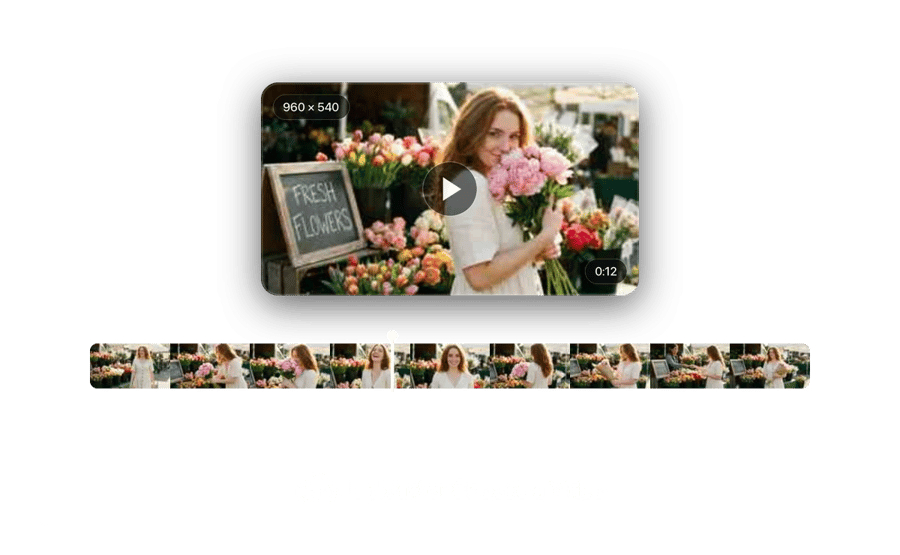
Upload a Low-Resolution Clip
STEP 1

Upload a Low-Resolution Clip

Bring in a clip between 2 and 15 seconds long, from a phone recording to a generated scene. The AI video upscaler checks its current resolution so you can pick a sensible target.
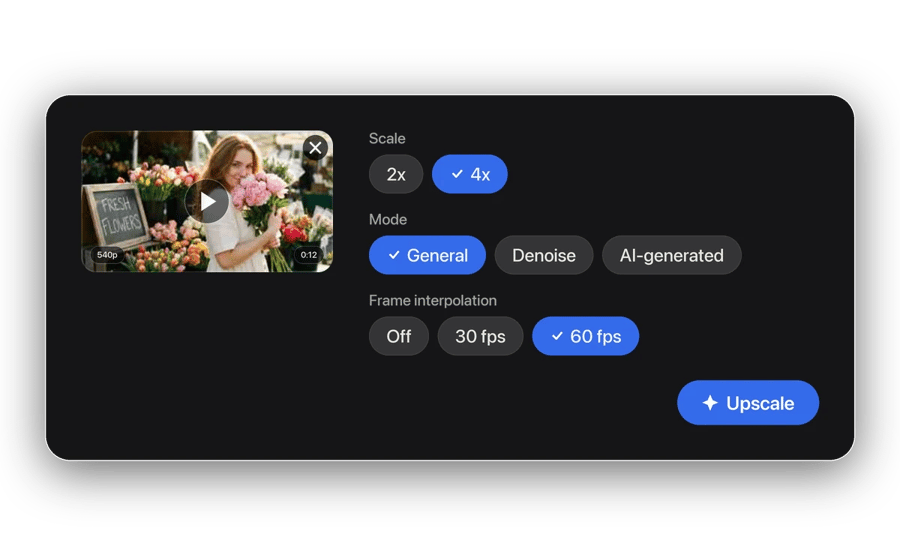
Choose the Scale and Mode
STEP 2

Choose the Scale and Mode

Select 2x or 4x and a mode such as general, denoise or AI-generated. Turn on frame interpolation for 30 or 60 fps. Then start the upscale.
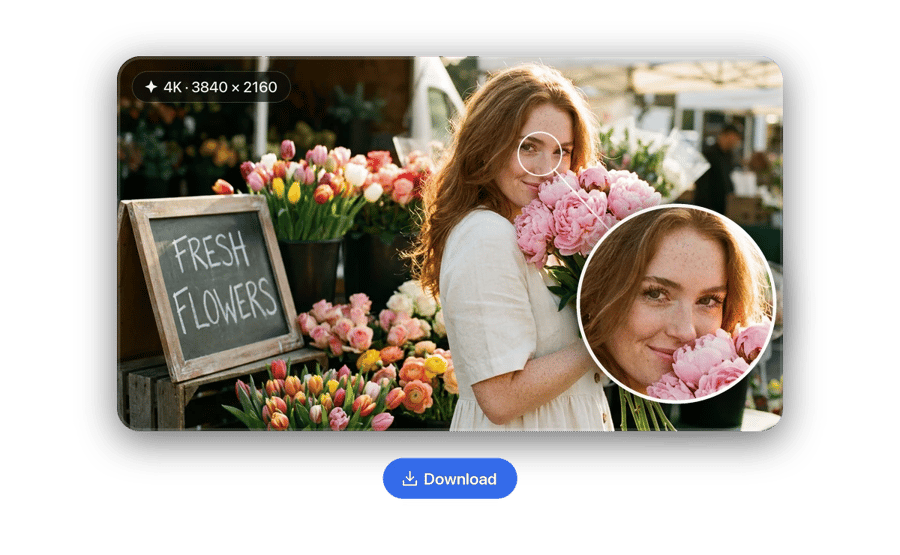
Download the 4K Version
STEP 3

Download the 4K Version

Check fine detail on a large display, especially faces, hair and on-screen text. Download the upscaled file for YouTube, client screens or further editing.

Upscale Now

What AI Video Upscaling Adds

More pixels. Cleaner detail.

RESOLUTION

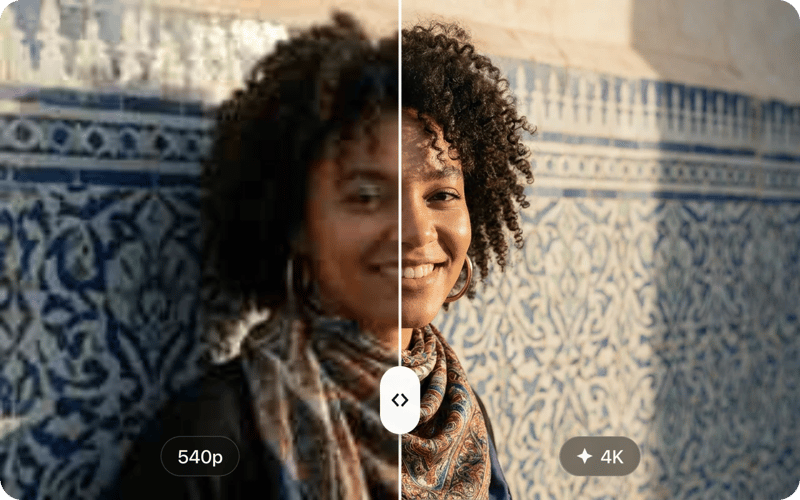
Up to Four Times the Pixels. Edges Stay Clean.

The 4K upscaler adds resolution with a model trained to rebuild texture, so outlines and fine patterns stay crisp instead of blurry.
Up to Four Times the Pixels. Edges Stay Clean.
MOTION

Smoother Playback at 30 or 60 FPS.

Frame interpolation builds in-between frames, so footage recorded at low frame rates plays more fluidly after upscaling.
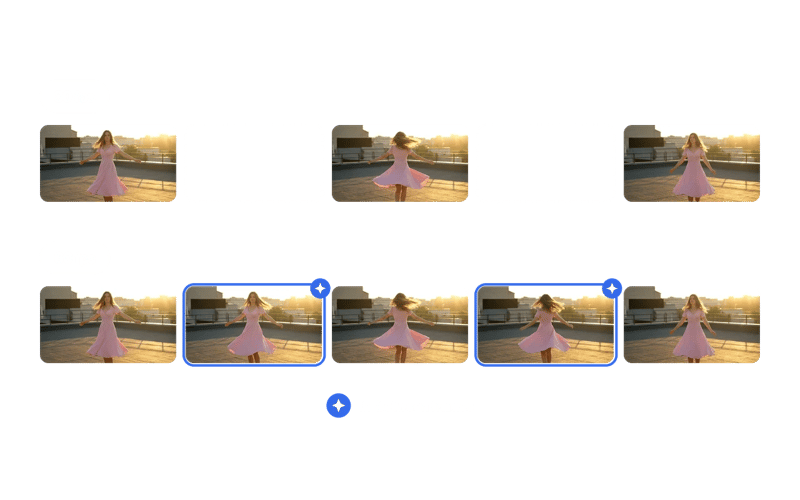
Smoother Playback at 30 or 60 FPS.
WHO USES IT

Editors, Creators and Archivists.

Anyone delivering to 4K screens, reusing older HD footage or polishing AI clips gets more out of every shot.
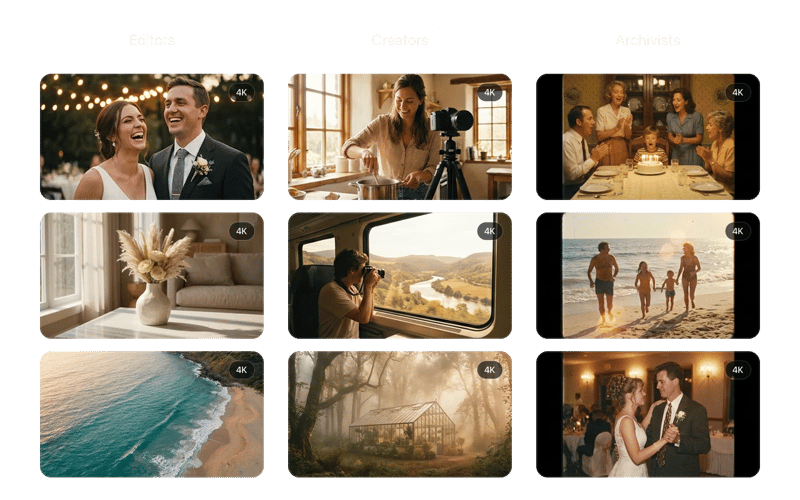
Editors, Creators and Archivists.
OUTPUT

What 4x Means in Practice.

A 960x540 clip becomes 3840x2160 at 4x. The result is ready for 4K timelines without a second pass.
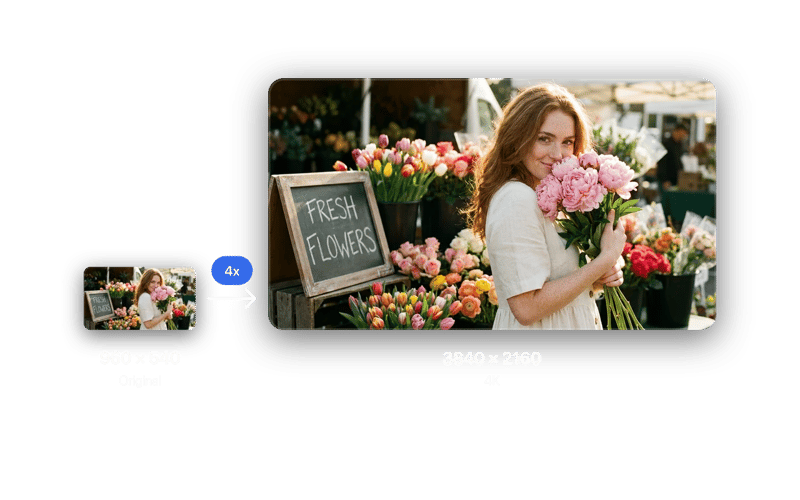
What 4x Means in Practice.

REAL FAMILIES. REAL MEMORIES.

They almost gave up on these photos.

★★★★★

My grandmother passed last year and I had one photo of her as a young woman - completely faded, a huge tear across the face. DaVinci brought it back. I had it printed and framed. My mother cried when she saw it.

Michael JohnsonMichael Johnson
★★★★★

Found a box of my grandparents' wedding photos from 1958. Every single one was yellowed and scratched. Ran them all through DaVinci - took 10 minutes. Now they're in a printed album we gave the whole family for Christmas.

Sophia WilliamsSophia Williams
★★★★★

My dad's military portrait from Vietnam was water-damaged - you could barely see his face. DaVinci sharpened it and colorized it. He's 78 years old and couldn't believe he was looking at himself at 22. I've never seen him speechless.

Daniel BrownDaniel Brown
★★★★★

Delivered a project two days early thanks to this platform. Clients were impressed - they were blown away by the results.

Olivia DavisOlivia Davis
★★★★★

It's become my go-to for quick creative work. The platform is really solid. Sometimes I need to share something complex and it's there.

James WilsonJames Wilson

Frequently Asked Questions
DaVinci's AI video upscaler increases the resolution of short clips by 2x or 4x using Topaz or DaVinci models. It rebuilds detail as it scales, so the larger file looks sharper rather than simply stretched.

Upload a clip, pick a scale factor and a mode, then start the job. The model predicts the missing pixels from patterns in each frame and from neighboring frames, which keeps detail stable across motion instead of flickering.

Yes. Choose the AI-generated mode, which is tuned for the soft textures and small artifacts typical of generated footage. It is a common step before showing AI clips on large screens or in client reviews.

It raises resolution and can add frames for smoother motion. Inspect the result at full size: heavily compressed sources may show smeared textures, and upscaling cannot invent detail that was never recorded.

Yes. Upscaling HD footage to 4K gives YouTube a higher-resolution source file, which helps the platform keep more of the detail after its own compression step.

Paid subscribers may use generated videos commercially subject to our terms and applicable laws. The app is primarily for personal, creative and entertainment use. AI outputs may be inaccurate or non-unique; verify suitability and third-party rights before use.

Yes. Your uploads and upscaled clips remain private and secure. DaVinci and its partners do not use them to train AI models, and your creations are accessible only to you.

Yes, within limits. The upscaler restores apparent sharpness in soft or low-resolution footage. Heavy motion blur and focus errors may remain, so compare key frames with the source before publishing.

Usually, yes. Upscaling first gives the rest of your edit more pixels to work with. Trim the clip to the key 15 seconds, upscale it, then cut and grade the larger file.

Video upscaling uses credits based on clip length and resolution. Open the Upscale workflow to see the cost first.

Design with DaVinci

Create with momentum. Bring your vision to life.

Sign Up