Types of Tattoo Styles and How to Preview Them with AI

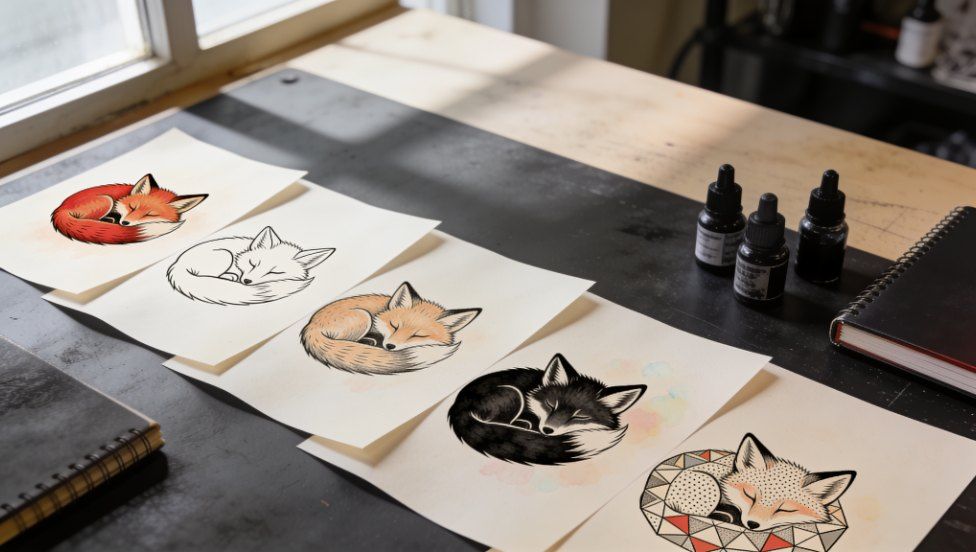
The main tattoo styles are American traditional, fine line, blackwork, Japanese traditional, geometric and dotwork, watercolor, realism, and neo-traditional, and what sets them apart is how heavy the lines are, how the shading is built, which colors appear, and how much skin the detail needs. The quickest way to find yours is to draw one idea in several styles and compare them side by side. An AI image generator makes that comparison cheap. Below, one subject (a sleeping fox) runs through six tattoo styles with the exact prompts we used, followed by how to write your own style prompt, the limits of a preview for size and placement, and what to bring to a tattoo artist.
Tattoo Styles Chart: How the Main Types Compare
Each row describes the look a style is known for. Artists mix and bend these freely, so use the chart to name what you like, not as a rulebook.
The last column matters more than most style lists admit. DaVinci's AI tattoo generator page warns that thin lines and fine shading can disappear or blur when a design is made too small, which is why the same fox can work at palm size in one style and fail in another.
One Idea in Six Tattoo Styles: Prompts and Results
We gave Seedream 4.5 in DaVinci the same subject six times on November 6, 2026, changing only the style instructions: 2K resolution, 4:3, one image per prompt. Swipe through the results first, then read the prompts and what each one shows.
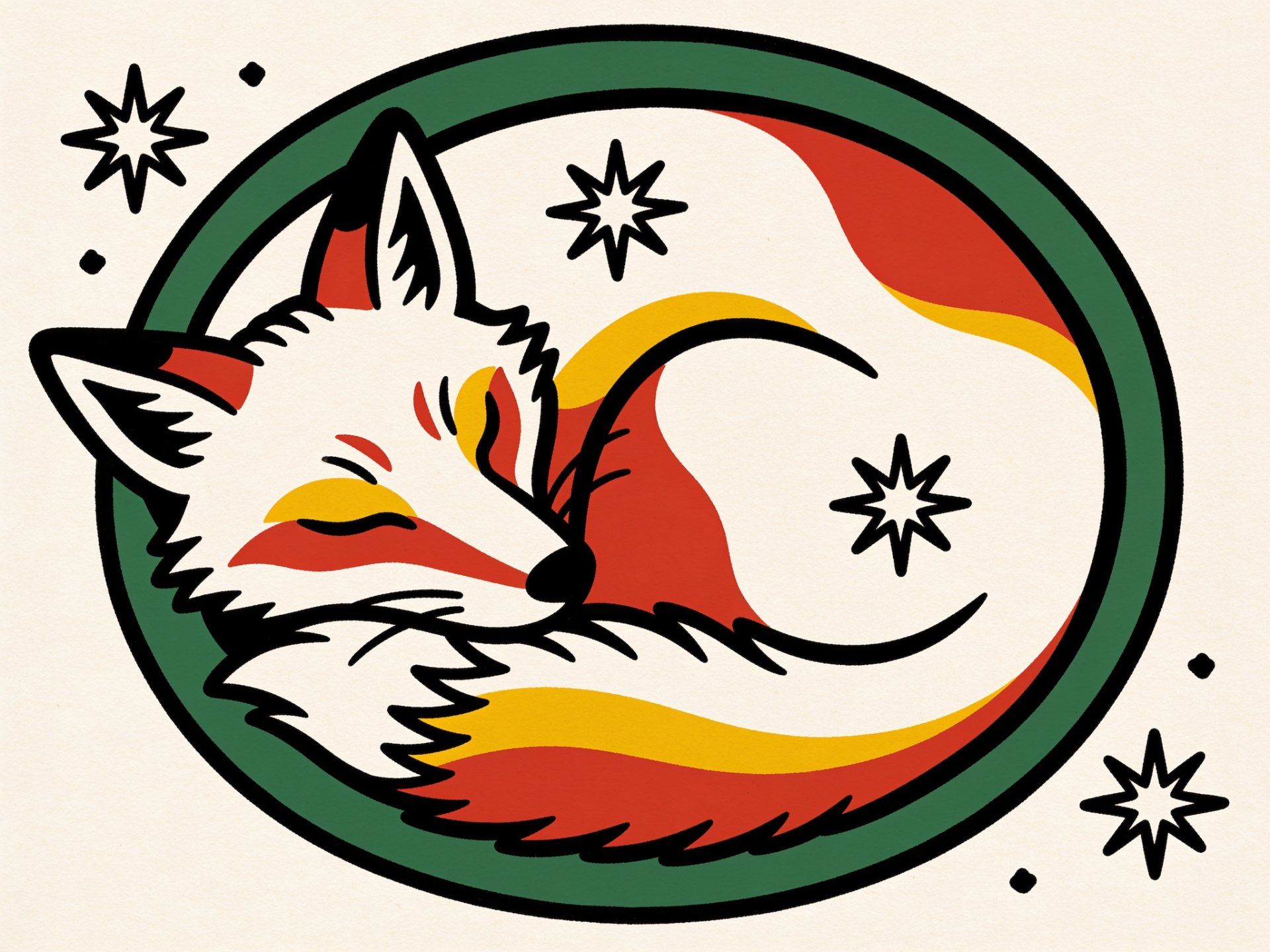
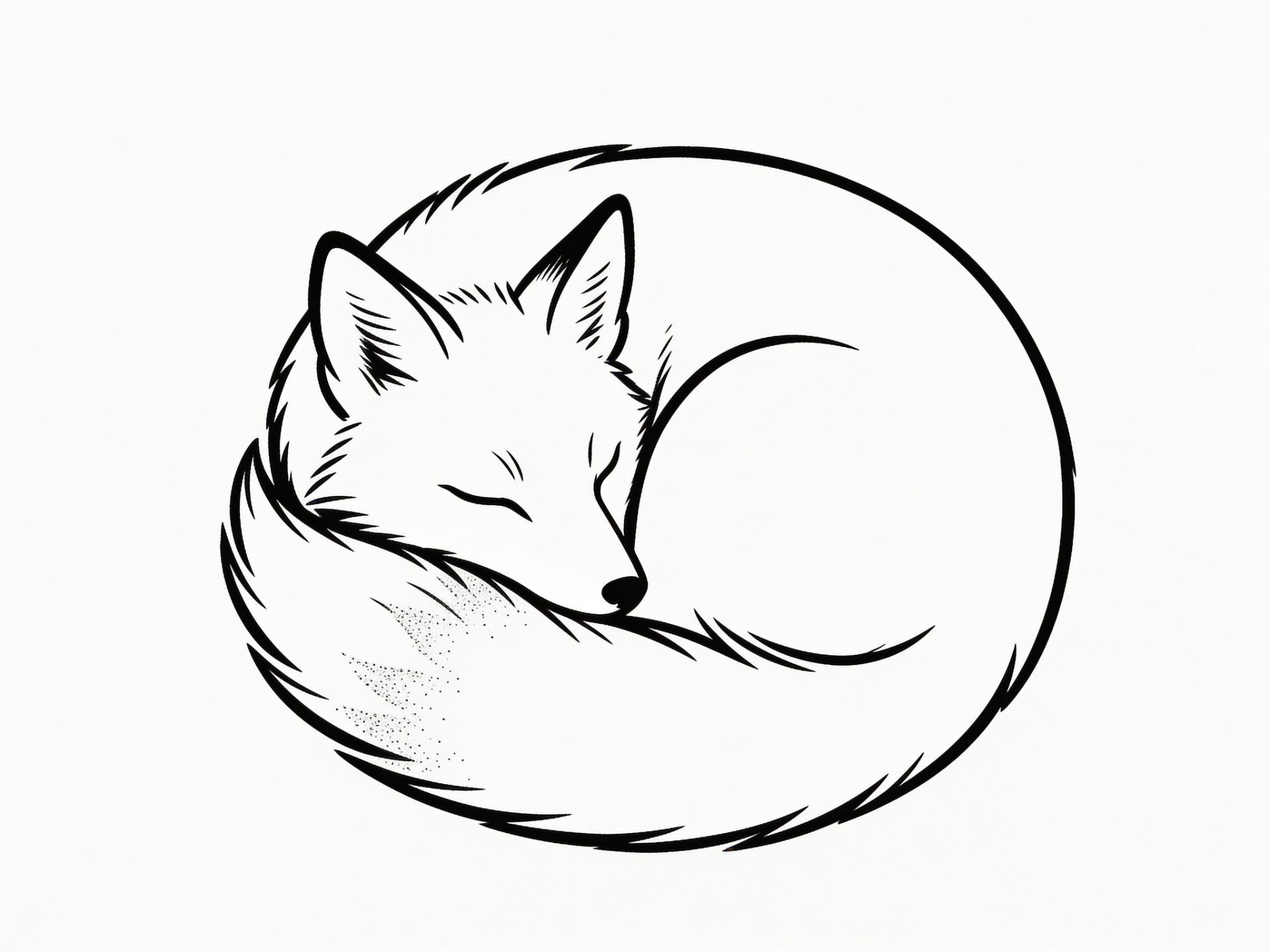
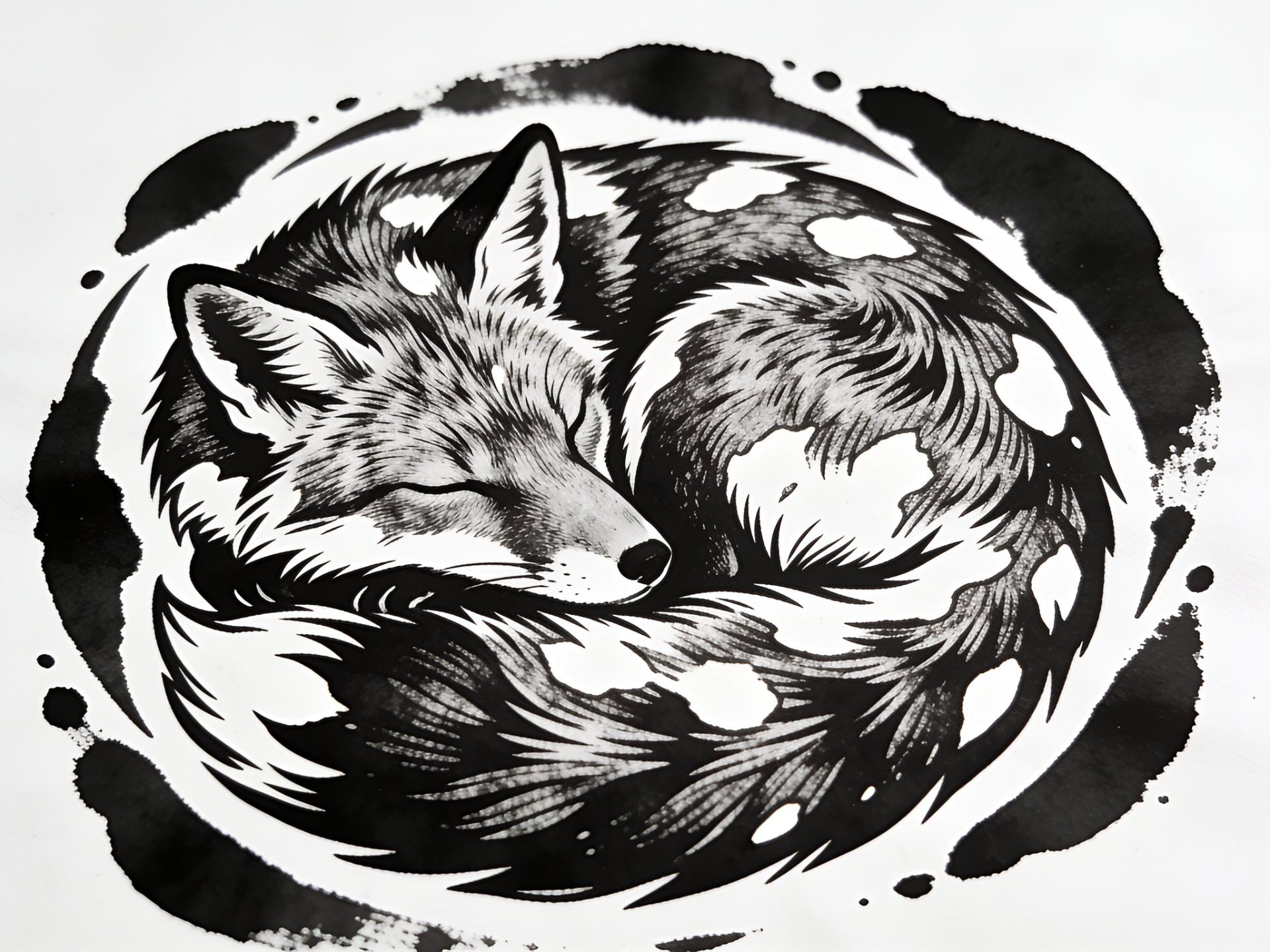
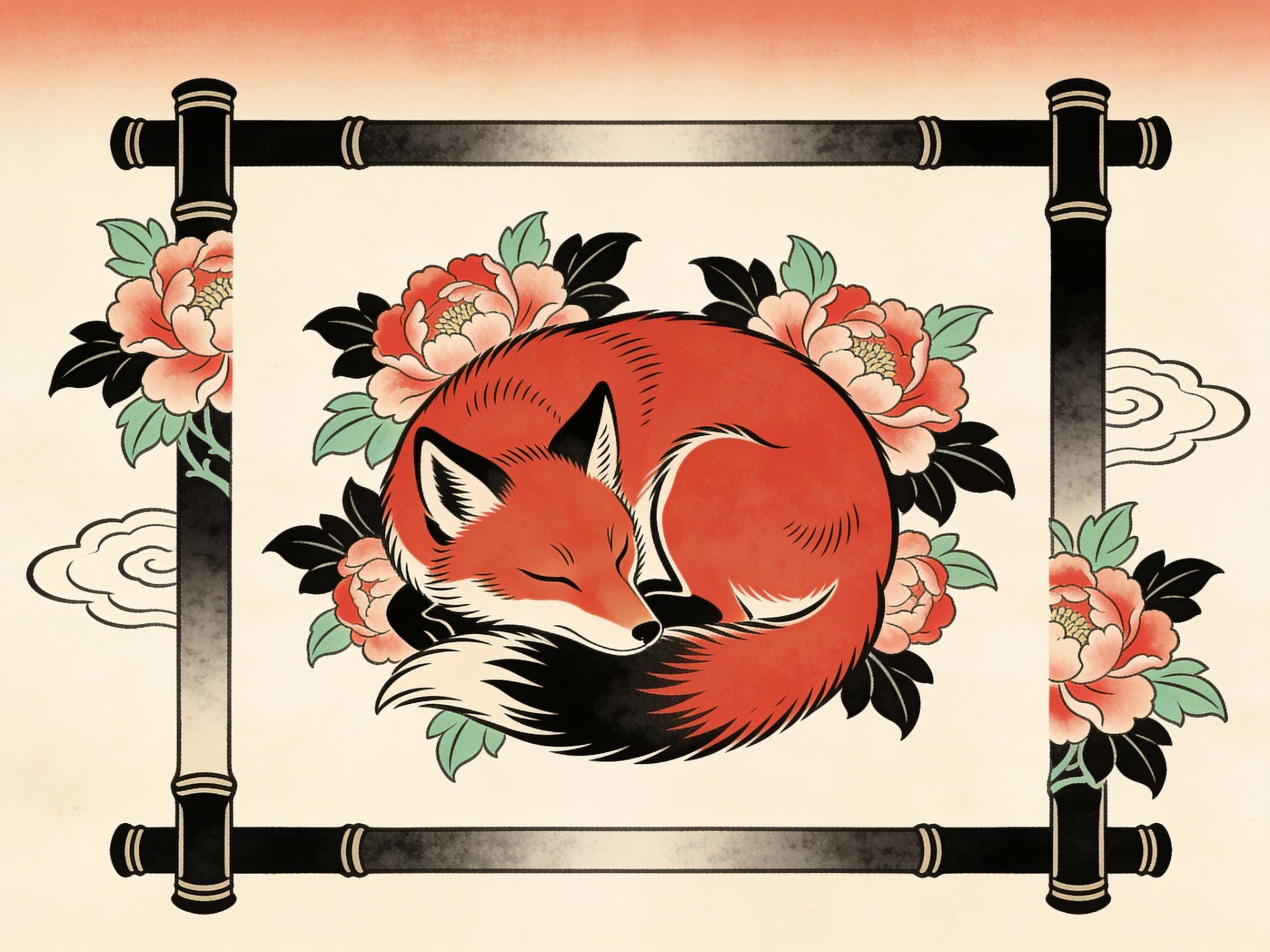
American traditional
Fine line
Blackwork
Japanese traditional
Geometric and dotwork
Watercolor
American Traditional
This is the style the model handled most confidently: heavy outlines, flat red and yellow, a green border, and stars that read clearly even when the image is shrunk. Its simple shapes are also why traditional designs work at small sizes and on most placements.
Fine Line
Our first fine line attempt said only "drawn on white paper," and the model returned a photo of a sketch with two pens beside it, complete with made-up writing on the pens. A second try that banned pens and props still came back with a pen on a desk; describing the result as clean digital line art on a pure white background, with nothing else in the image, finally worked. Fine line designs need the most care at small sizes, so treat a delicate preview as a starting point for the artist's minimum size, not as the final scale.
Blackwork
The result has the bold black mass the style is known for, with bare paper marking the fur. It still slipped in gray texture inside the black areas, despite the prompt saying no gray shading, so check whether a preview matches the style you named before showing it to an artist.
Japanese Traditional
The peonies and flat red came through well, but the model drew the "wind bars" as a bamboo frame around the fox, which isn't what the term means in this style. Japanese traditional tattooing has its own motifs, backgrounds, and meanings, so use a preview like this to talk about composition and color, and let an artist who works in the style handle the details.
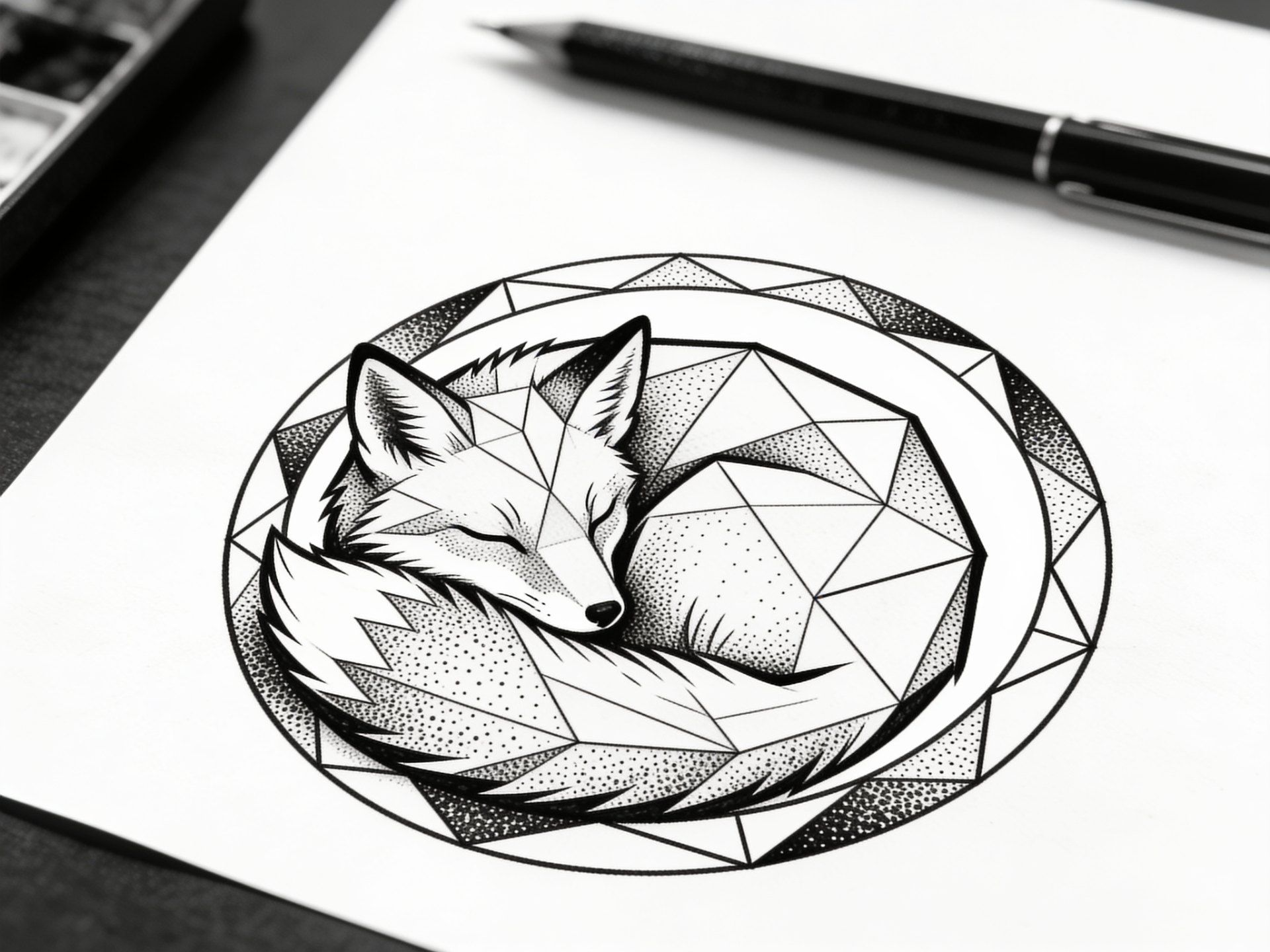
Geometric and Dotwork
The fox's body breaks into facets with stippled shading, inside a circular frame of triangles. Dotwork shades with spacing instead of gray ink, so if the dots sit too close together, they can blur into a gray patch as the tattoo ages; a preview helps you decide how dense you want it before the stencil stage.
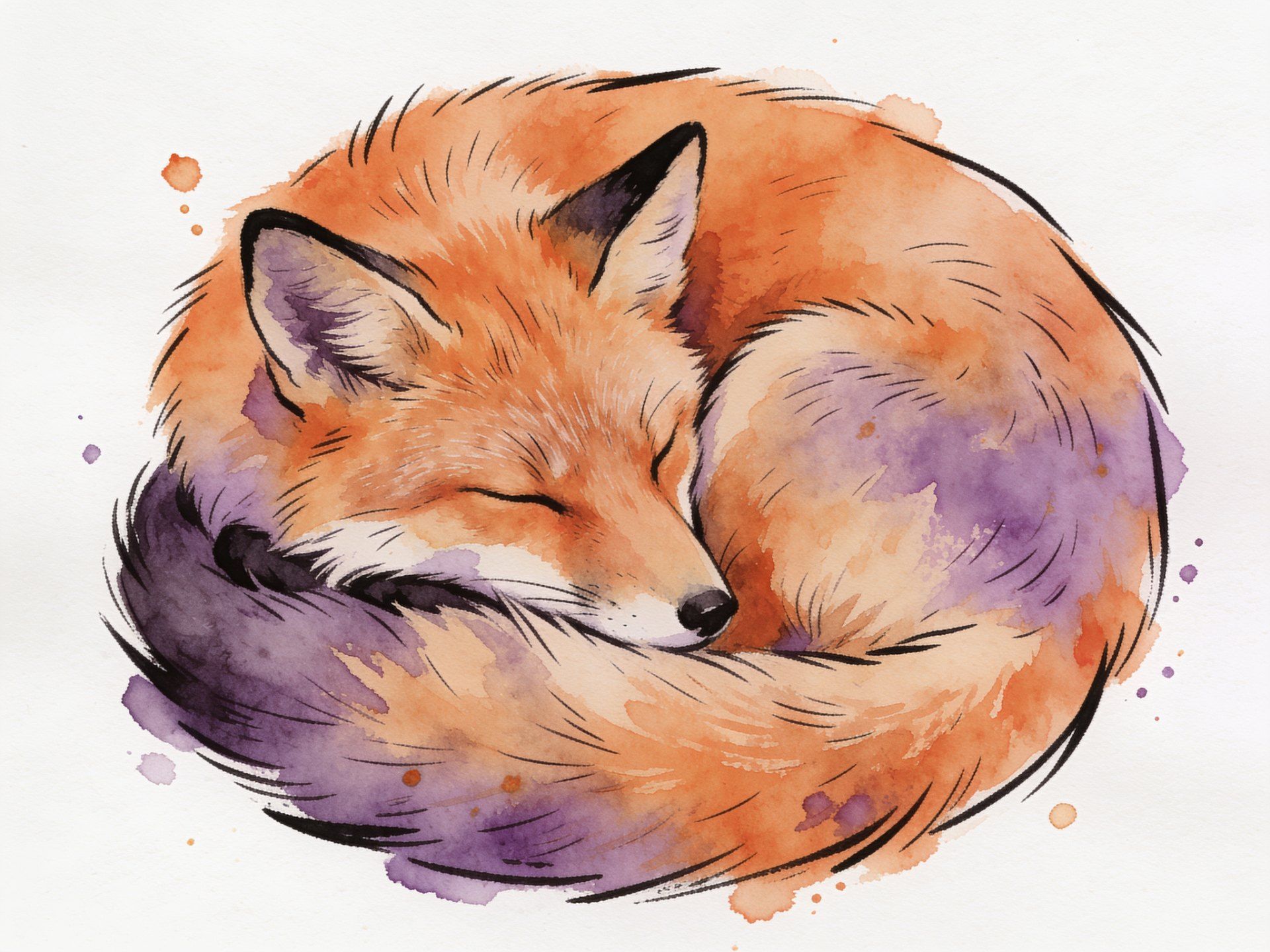
Watercolor
Watercolor previews look the most like paintings and the least like finished tattoos. Without a firm outline, color washes can soften into vague shapes on skin over the years, which is why many artists add a thin outline or darker accents, as this prompt asked for.
Preview your idea in different tattoo styles
Open the Tattoo GeneratorHow to Write a Tattoo Style Prompt That Previews Well
The prompts above follow one pattern, and changing only the style part is what makes the results comparable:
- Start with the style name and the word "tattoo design" or "tattoo flash," so the model draws a design rather than a photo of skin.
- Name one subject and its pose, and keep it identical across every style you try.
- Describe the line weight, the shading method, and the palette in plain words, because style names alone are interpreted loosely.
- Ask for line art on a plain white background and leave out props, so the design isn't buried in a desk scene.
- End with "no lettering" unless the text itself is the tattoo.
When a result misses, change one instruction at a time. If the lines come out too heavy, describe them as thinner; if a term like "wind bars" gets misread, describe what you want to see instead of relying on the name.
The same structure works for any subject, and our AI image prompt examples show it applied beyond tattoos. If you would rather adapt an existing idea than start from a blank prompt, DaVinci's image templates include tattoo designs too.
Size and Placement: What an AI Preview Can't Tell You
A preview shows a design at screen size on flat paper. Your skin is neither, and two things change once the design moves onto the body.
The first is scale. Detail that looks crisp in a 4,000-pixel image may only have a couple of inches of skin to live on, and lines that sit close together tend to soften and spread as the tattoo ages. Ask the artist what minimum size your chosen style needs, and be ready to simplify the design or make it larger.
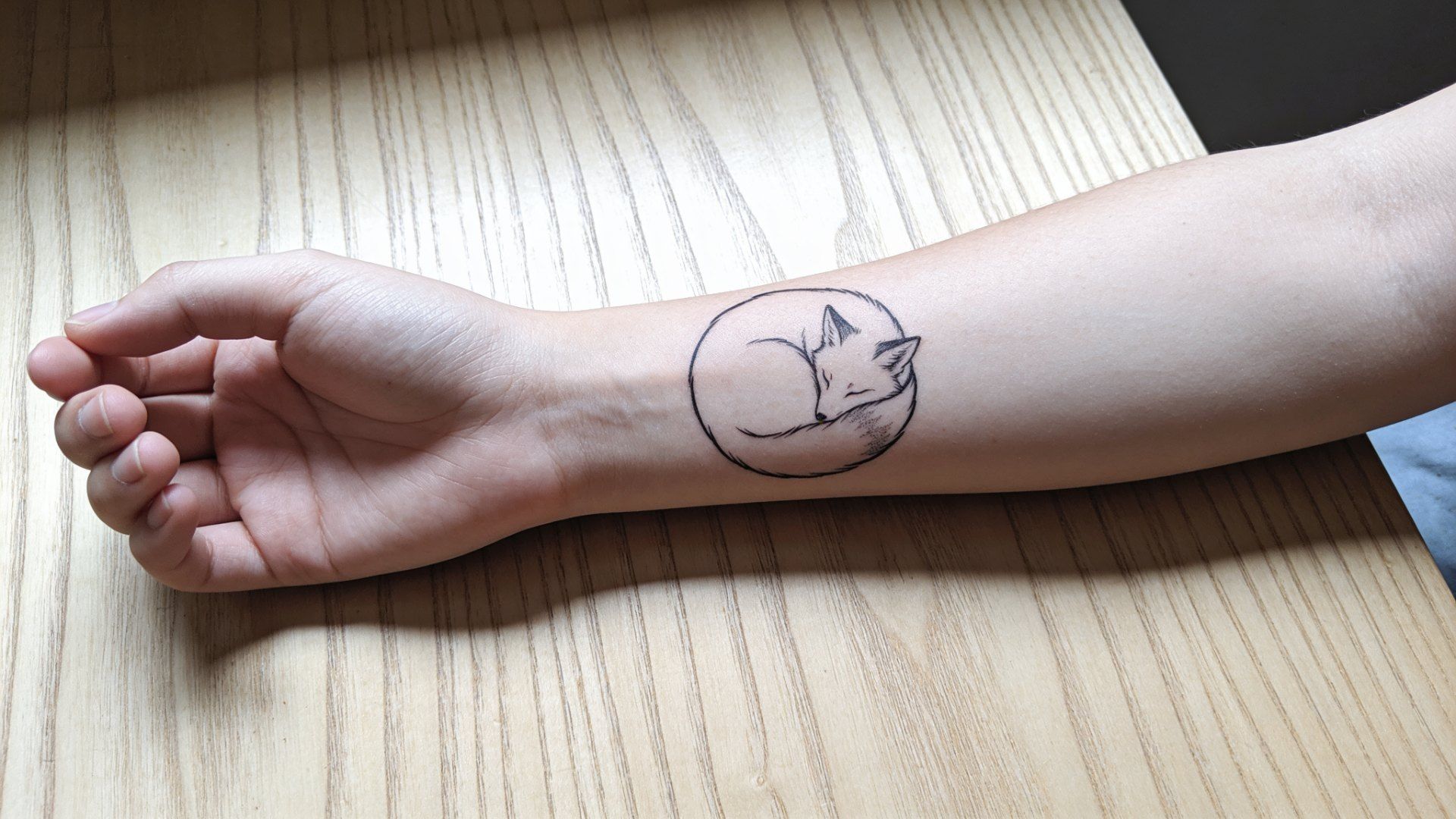
The second is shape. Forearms taper, ribs curve, and a circular design like the fox will stretch or wrap depending on where it goes. Treat every AI image as a concept, not a stencil: the artist redraws it to fit your anatomy, adjusts lines for how ink settles, and makes it their own work.
What to Bring to Your Tattoo Artist
A short, clear brief makes the consultation faster and the result closer to what you pictured:
The style name, plus the one or two AI previews that come closest, marked with what you like in each.
The placement and an approximate size in inches.
Color or black and gray, and any colors you want to avoid.
Which elements must stay and which are open to change.
Photos of any nearby tattoos the new piece should sit with.
Bring the previews as references, not as finished art to copy line for line. A good artist will tell you where the idea needs to change to look right on skin for years.
Drafted with AI assistance and reviewed by Alişan Yazgı. Last updated: November 11, 2026.
More from DaVinci Blog