How to Automate Video Creation with AI Agents

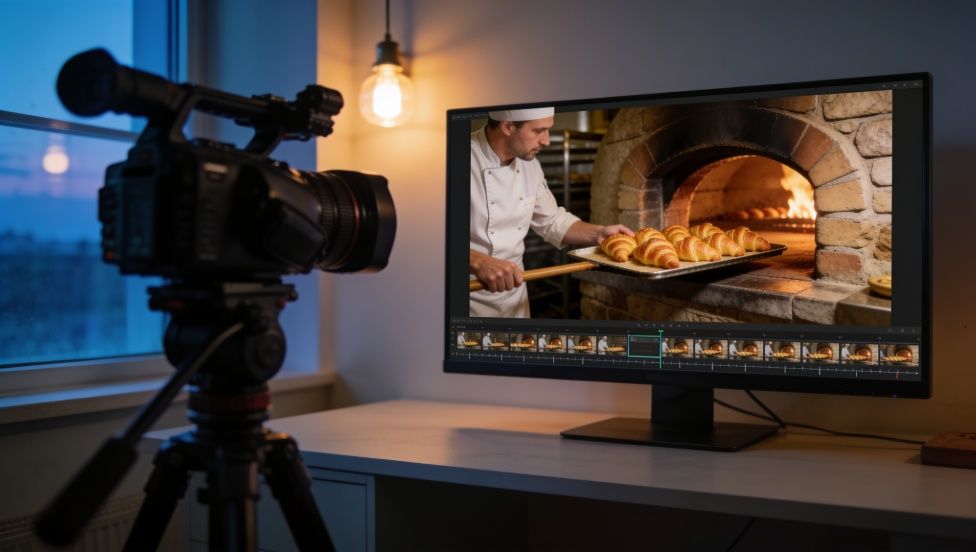
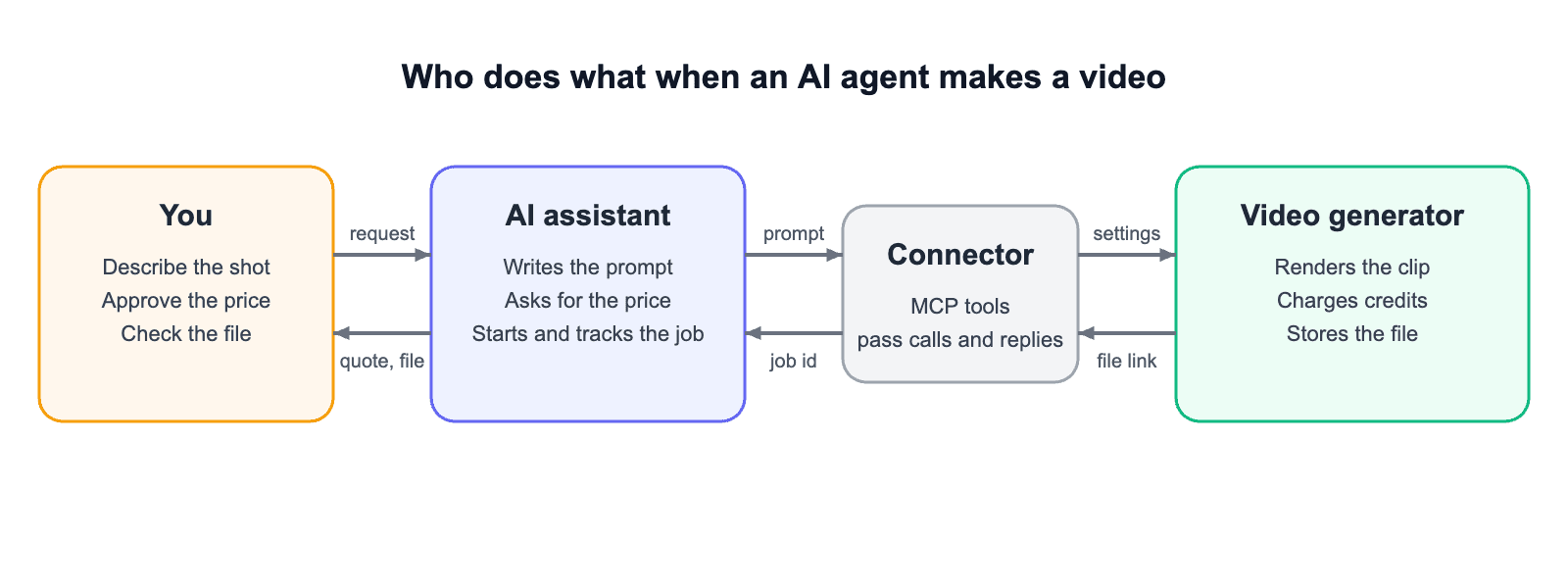
To automate video creation with AI, connect an AI assistant such as Claude or ChatGPT to a video generator through a connector, then describe the clip you want in plain words. The assistant turns your request into a model prompt and settings, can quote the credit cost first, starts the job, and hands back the file. The footage itself comes from the connected video model, and you still decide what gets spent and what gets published.
Can Claude Make Videos on Its Own?
Not realistic footage. Claude can plan a video in words, from the story down to the exact model prompt, but rendering the clip takes a connected video model. Anthropic's animation feature, Claude Motion, builds short animations of text, charts, and shapes as code, and its Claude Motion help page says it doesn't use a video generation model.
What the Agent Does and What the Video Model Does
Most connectors are built on MCP, the Model Context Protocol, an open standard for connecting AI apps to outside tools and data. A video generator with an MCP connector publishes a few tools, such as one that prices a request and one that starts a video, and the assistant decides when to call them.
What You Need Before You Start
An assistant that supports connectors.
An account with a video generator that offers a connector, with credits on it.
A spending limit per clip that you're willing to approve.
The delivery format: length in seconds, aspect ratio (9:16 for Reels and Shorts, 16:9 for YouTube and the web), and whether you need sound.
How to Automate Video Creation with AI, Step by Step
- Connect the generator once. Add its connector in the assistant's settings and sign in to your generator account.
- Keep spending behind an approval. Claude, for example, asks before a connector tool runs, and Anthropic's custom connector guide advises approving tools permanently only for servers you trust. Leave the prompt on for any tool that spends credits.
- Describe the shot, not the software. Say what happens, where the camera is and how it moves, the length, the format, the sound, and what to leave out. The assistant writes the model prompt from that, using the same habits as good text-to-video prompts.
- Ask for the price and the model before anything renders. One line, such as "tell me the cost and which model you'll use before you generate," turns a surprise bill into a choice.
- Let the job run, and don't start it twice. A video can take a few minutes; if the chat seems stuck, ask the assistant to check the job instead of resending, because a second request is a second charge.
- Open the file and check it against what you asked for, then revise one thing at a time.
If you'd rather write and run the prompt yourself, an AI video generator works the same way without the agent in the middle.
A Real Request, Start to Finish
On November 5, 2026, we ran one request through an AI assistant connected to a video generator: a six-second widescreen clip of croissants coming out of an oven for a bakery's website, with sound, no text, and the price before anything rendered. The assistant wrote this model prompt and set 6 seconds, 16:9, and sound on.
The price check paid for itself. With the model choice left on automatic, the quote for this clip was 270 credits. Naming a lower-cost model, Wan 3.0 at 720p, brought the same prompt, length, and format down to 132 credits, less than half.
We approved the lower quote, and the clip arrived in under three minutes as a 1280 × 720 px file, 6 seconds long, just as the job status said. That status is all the assistant reports, though, so the only way to know what the clip shows is to open it.
The clip followed most of the brief: gloved hands slide the tray out of the stone oven, steam rises, and the camera pushes in until the croissants fill the frame. Two details didn't match. No oven door opens on screen, so the creaking door in the sound brief has nothing to match, and every croissant has a dark stripe down the middle, as if it were filled, which the prompt never asked for. The model fills in details like these on its own, so if something matters to you, spell it out in the prompt: say what should appear on screen, and what shouldn't.
What to Check Before You Use the Clip
An agent reports what the generator tells it, which is usually "done" and a link. Open the file every time and go through these points.
Format: length, aspect ratio, and resolution match the request. A mismatch here often means the wrong file, not just a weak result.
Content: the subject, action, and camera move are the ones you asked for, from the first frame to the last.
Details: hands, faces, products, and logos keep their shape, and nothing appears or disappears mid-shot.
Text: any on-screen lettering is spelled correctly, or absent if you asked for none.
Sound: effects and speech line up with the picture.
Cost: the credits charged match the quote you approved.
Rights: you have permission for every reference you supplied, and the generator's current terms cover how you plan to use the clip.
When a check fails, give the assistant one concrete note, such as "keep everything, but make the croissants plain, with no dark stripe down the middle," rather than a new request from scratch.
Where Agent Automation Falls Short
Agents save the most time on short, repeatable clips: product shots, social posts, and variations of one scene for testing. They help less in three cases. Exact typography and brand animation are better built as code-based motion graphics than asked of a video model. A video longer than one shot still has to be cut together and paced by someone. And anything showing a real person needs that person's consent. However much the agent automates, a person still watches the final cut before it goes out.
Drafted with AI assistance and reviewed by Yasin Karatekin. Last updated: November 5, 2026.